Control Protocol management
The control protocol allows the device user to control their device.
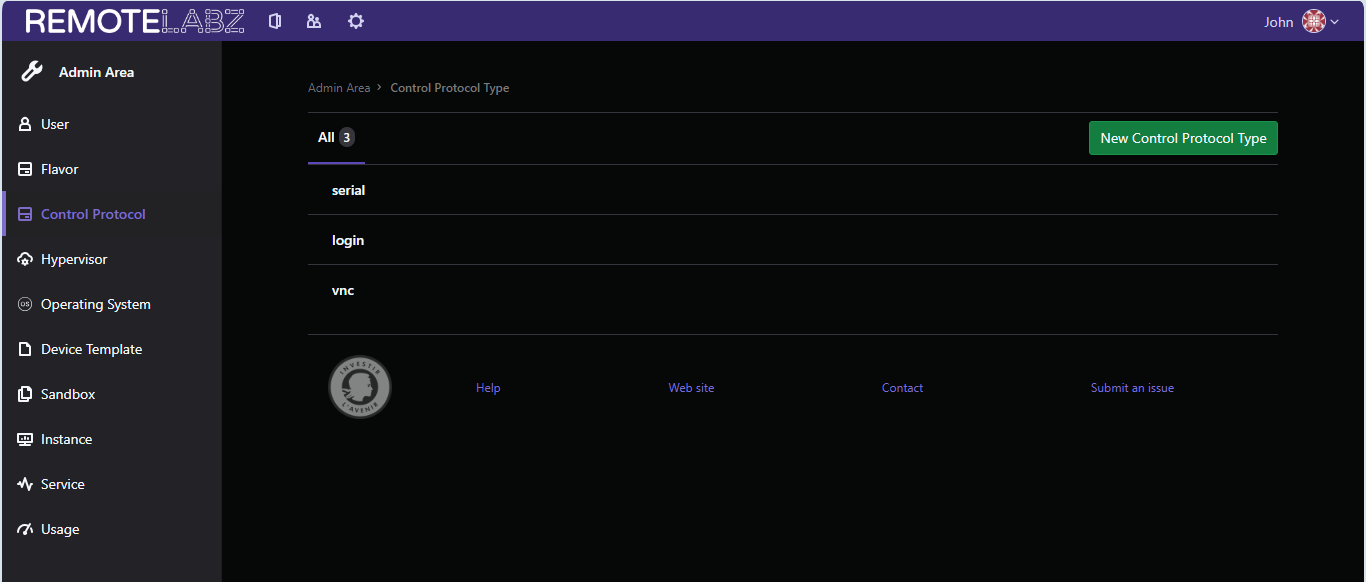
By default, RemoteLabz comes with three different control protocol types:
- serial: allows the device to be controlled through a serial interface.
- login: allows the device to be controlled through a traditional console with a login and a password.
- vnc: allows the device to be controlled through a VNC interface (required for graphical environments).
Control Protocol creation
By clicking on the new Control Protocol Type button, you will be prompted to enter the new protocol name.
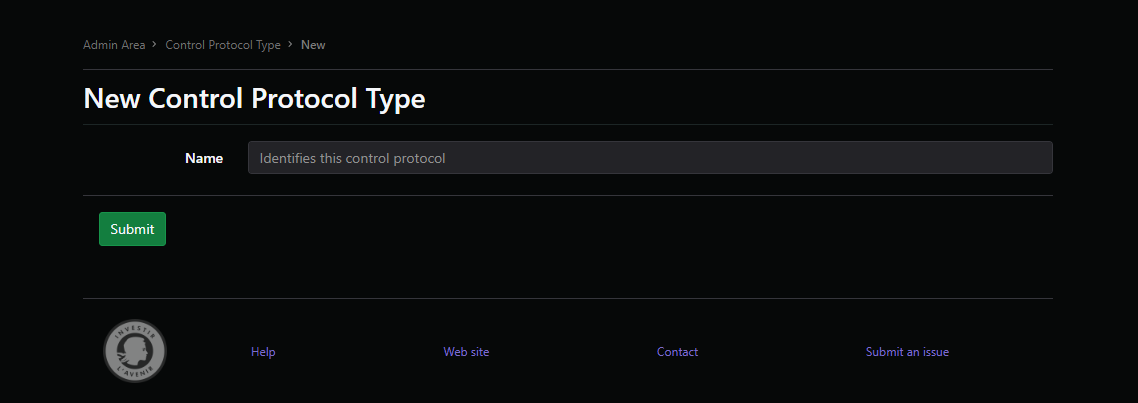
Here, you can enter the name of the new protocol, then click on submit to add it to the control protocol list.
Warning
You can only add the name of the protocol here. The technical details of the protocol must be added manually in RemoteLabz. This guide doesn't cover this topic yet.
Control Protocol edition
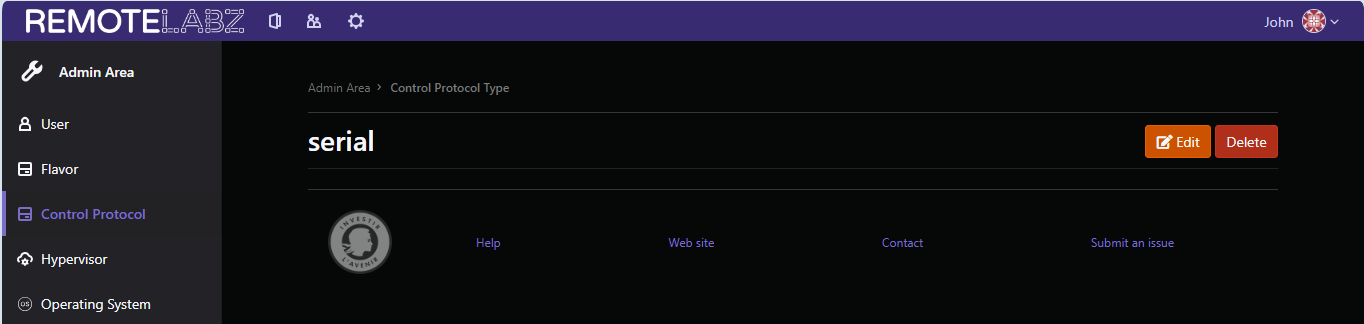
Once selected, you can also edit the protocol's name through the Edit button, or delete it through the Delete button.
Warning
Once you have clicked on the Delete button, the control protocol's name will be definitely removed without any confirmation.
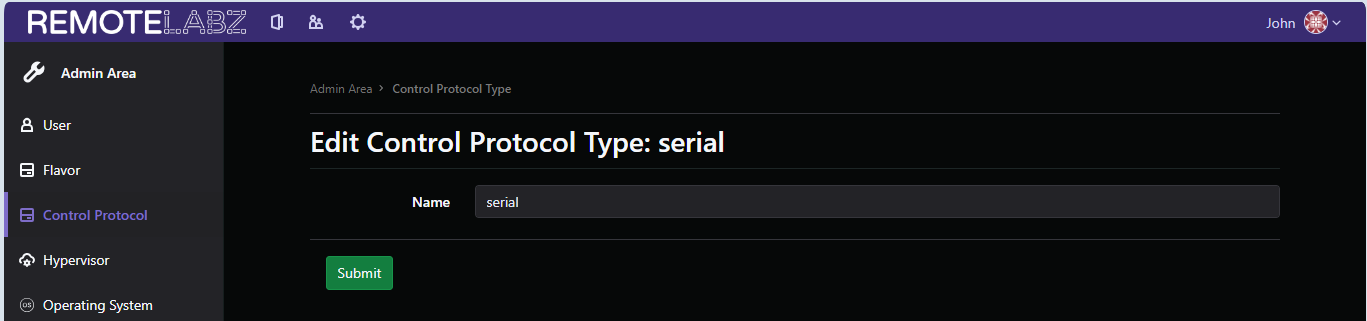
Once you have pressed the Edit button, you will be able to edit the control protocol through this screen.