Profile layout
After logging in as an admin, you will be taken to your dashboard.
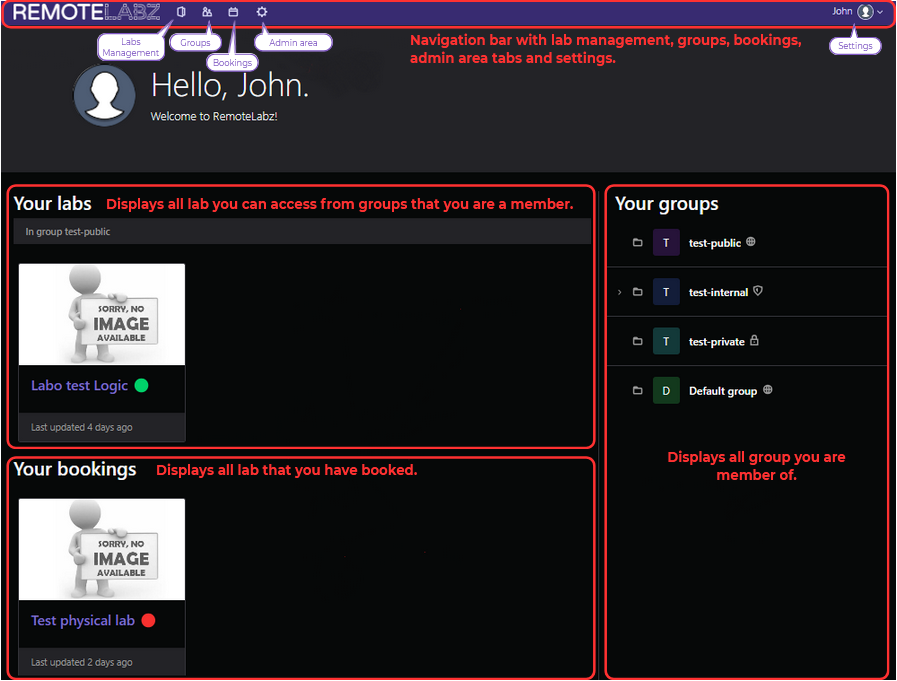
The screen is divided into 4 main parts:
- The navigation bar with:
- Lab Management: to create or stop labs.
- Groups: all groups that you belong to. You can also create new groups.
- Bookings: to book a physical lab.
- Admin area: to manage almost every aspect of the application.
- Settings: to manage your profile.
- Your labs: displays labs that you can access from your groups.
- Your bookings: displays the labs that you have booked.
- Your groups: displays the groups that you belong to.
Admin area
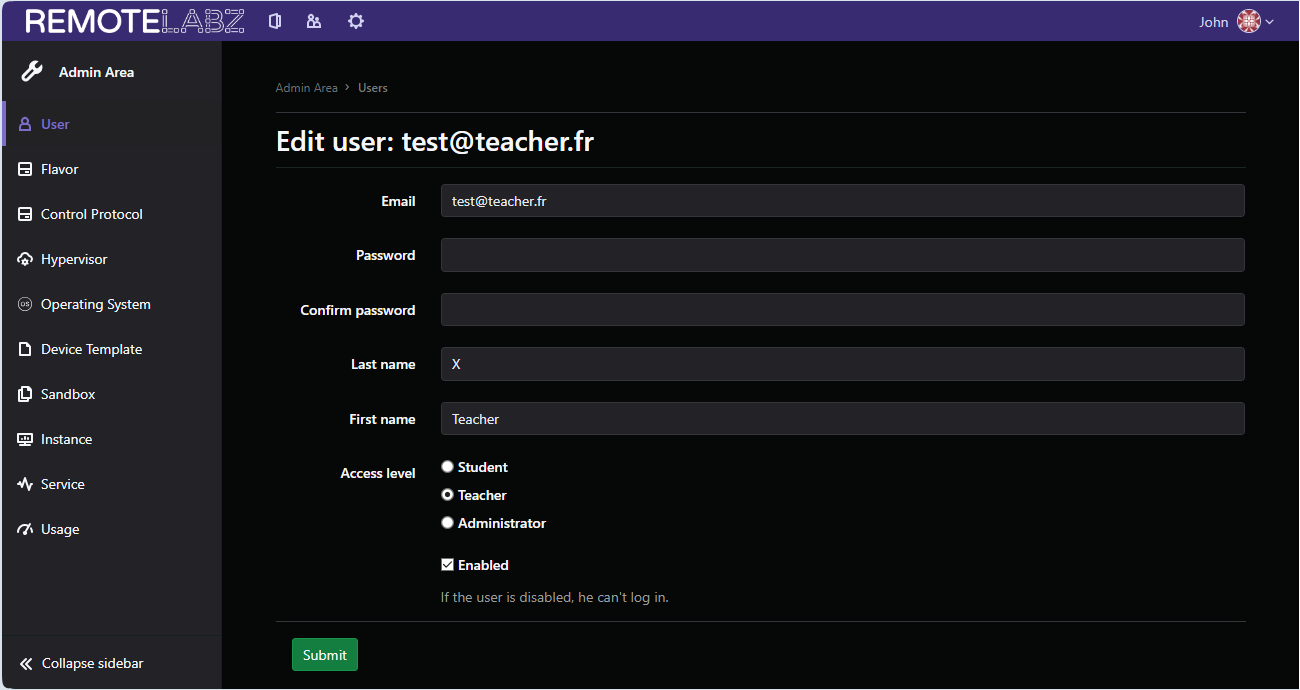
Inside this area, you can manage many elements such as:
- User: can be added/edited/deleted from this area.
- Flavor: can be added/edited or deleted there. It corresponds to the memory presets of a device, which define the amount of memory a device can consume.
- Disk Flavor: can be added/edited/deleted. It corresponds to the storage capacity for blank operating systems.
- Control Protocol: can be added/edited or deleted from there. It corresponds to the protocol used to access the device.
- Hypervisor: can be added/edited or deleted. It corresponds to the software that hosts the device.
- Architecture: can be added/edited or deleted. It corresponds to the processor architecture on which the operating system will run.
- Operating System: corresponds to the list of operating systems available to create a container.
- ISO: can be added/edited or deleted. It corresponds to images that can be uploaded or downloaded via an URL.
- Device Template: configuration templates for every available device can be added/edited or deleted from there.
- Sandbox: containers and VMs can be started from there. New containers can also be created from existing containers.
- Instances: allow the administrator to start/stop/leave every lab from there.
- Services: allow the administrator to start/stop critical system services such as:
- Worker service: the service that runs all VMs/Containers for RemoteLabz.
- Proxy service: the service that proxies the WebSocket connections (consoles and VNC) between the front and the worker.
- Messaging service: handles communications between the front and the worker.
- Usage: gives the administrator an overview of the resources consumed by the worker.
Profile restriction
The administrator can administer the entire application: every feature of the admin area is available to this role.